Drawboard PDF
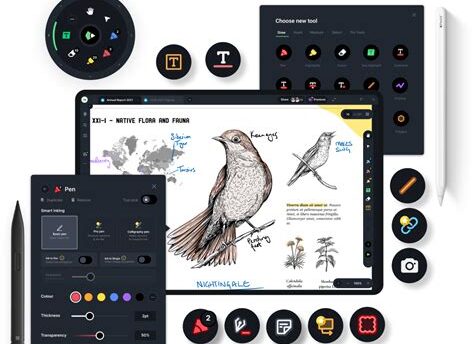
Drawboard PDF is an intuitive and powerful PDF annotation application designed for Windows devices. Whether you’re a student, professional, or simply need to manage PDF documents, Drawboard PDF offers a plethora of features to enhance your reading and editing experience.
Key Features
- Annotation Tools: Easily highlight, underline, and strikethrough text, as well as add notes and comments to your PDF files.
- Handwriting Support: Utilize touch or stylus for natural handwriting, making it effortless to jot down ideas or sign documents.
- Document Navigation: Navigate large documents with ease using a table of contents, thumbnails, and bookmarks.
- PDF Creation: Create new PDF documents from scratch or convert existing files into PDFs seamlessly.
- Collaboration: Share your annotations and notes with others, making group projects and discussions more productive.
Why Choose Drawboard PDF?
With its user-friendly interface and robust feature set, Drawboard PDF stands out as a leading choice for PDF management and editing. Its ability to integrate with various workflows ensures that you can work efficiently, whether in the classroom, the office, or at home.
“`
Leave a Reply