AutoPlay Media Studio
Overview
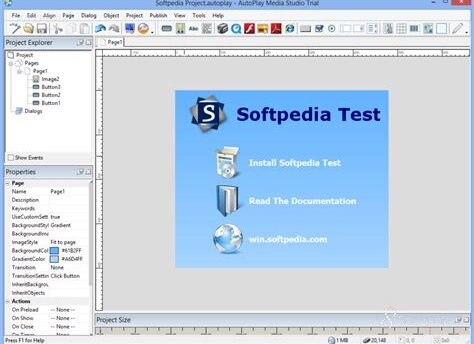
AutoPlay Media Studio is a powerful software tool designed for creating interactive multimedia applications effortlessly. It allows users to create engaging and professional presentations, tutorials, and interactive menus without the need for extensive programming knowledge. With a user-friendly interface and a variety of customizable templates, AutoPlay Media Studio empowers creators to produce high-quality projects for both personal and commercial use.
Key Features
- Drag-and-Drop Interface: Intuitive drag-and-drop elements simplify the design process, allowing users to focus on creativity rather than coding.
- Customizable Templates: A wide selection of ready-to-use templates enables quick project setup while maintaining a professional appearance.
- Multimedia Support: Incorporate images, videos, audio, and Flash animations seamlessly to create rich multimedia experiences.
- Interactive Elements: Add buttons, forms, and navigational components to enhance user engagement and interaction.
- Export Options: Create standalone applications or executable files that can be distributed easily without requiring users to install the software.
- Scripting Support: For advanced users, scripting capabilities allow for deeper customization and more complex functionality.
- CD/DVD Menu Creation: Ideal for producing auto-run CD and DVD menus that launch multimedia presentations automatically.
Conclusion
Whether you are a seasoned developer or a complete novice, AutoPlay Media Studio provides all the tools you need to develop captivating multimedia applications with ease. Transform your ideas into interactive experiences and captivate your audience today!
Leave a Reply