IOBit Unlocker
Overview
IOBit Unlocker is a powerful software tool designed to help users easily delete, move, or rename files and folders that are locked by the system or other programs. Whether you’re dealing with stubborn files that refuse to be deleted or system processes preventing access, IOBit Unlocker provides a straightforward solution to effectively unlock and manage these files.
Key Features
- File Unlocking: Quickly unlock files and folders that are in use or marked as read-only.
- Safe Deletion: Delete locked files securely without any hassle.
- Multi-Process Handling: Unlock multiple files at once, increasing efficiency and saving time.
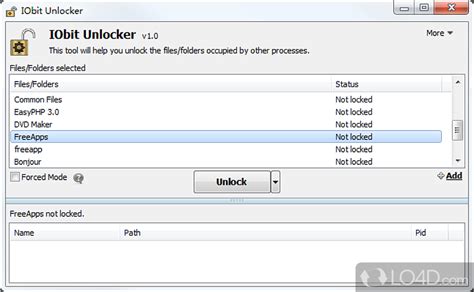
- User-Friendly Interface: Intuitive design that is easy to navigate, making it accessible even for novice users.
- Portable Version: Use the software on the go without installation, via USB or external drives.
- Compatibility: Supports a wide range of Windows operating systems for maximum usability.
Why Choose IOBit Unlocker?
IOBit Unlocker stands out for its efficiency and simplicity, offering a reliable solution for users looking to manage locked files effectively. With its robust features and user-friendly interface, it not only enhances productivity but also ensures a smoother experience while handling stubborn files. Whether you are a professional or a casual user, IOBit Unlocker is an essential tool to have in your software arsenal.
How to Download
IOBit Unlocker can be downloaded for free from the official IOBit website. Installation is quick and straightforward, allowing you to start unlocking your files in minutes.
Leave a Reply