TeraCopy Pro
TeraCopy Pro is a powerful file transfer utility that enhances the standard file copying and moving processes in Windows. Designed for efficiency and speed, TeraCopy Pro offers a smooth user experience while ensuring your data is safe throughout the transfer procedure. With its advanced functionalities, this software is a must-have for anyone who frequently manages large files.
Key Features
- High-Speed Copying: TeraCopy Pro accelerates the file transfer process significantly, allowing you to copy large files in a fraction of the time it would take with default Windows tools.
- Error Recovery: If an error occurs during the file transfer, TeraCopy Pro can automatically retry the operation or skip the problematic files, ensuring your data integrity.
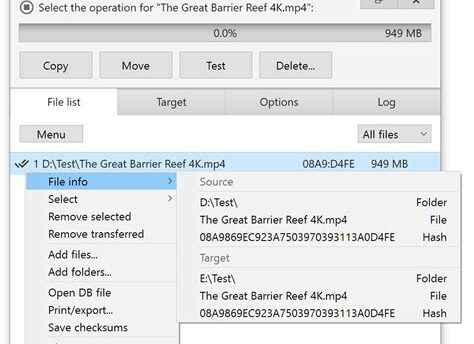
- File Verification: After copying files, TeraCopy Pro verifies the data to ensure everything was copied accurately, providing peace of mind.
- Pause and Resume: The ability to pause file transfers and resume them later is incredibly convenient for managing your workflow without interruptions.
- Shell Integration: TeraCopy Pro integrates seamlessly with Windows Explorer, allowing you to send files to TeraCopy directly from the right-click context menu.
Why Choose TeraCopy Pro?
With its user-friendly interface and robust features, TeraCopy Pro is ideal for professionals and regular users alike. Whether you are transferring large media files, backups, or essential documents, TeraCopy Pro provides the speed and reliability you need. Download TeraCopy Pro today and experience a smoother file management experience!
Leave a Reply